Chat
Real-time chat with your agents.
Chat lets you interact with any agent in real time through a web-based interface, much like a messaging app.
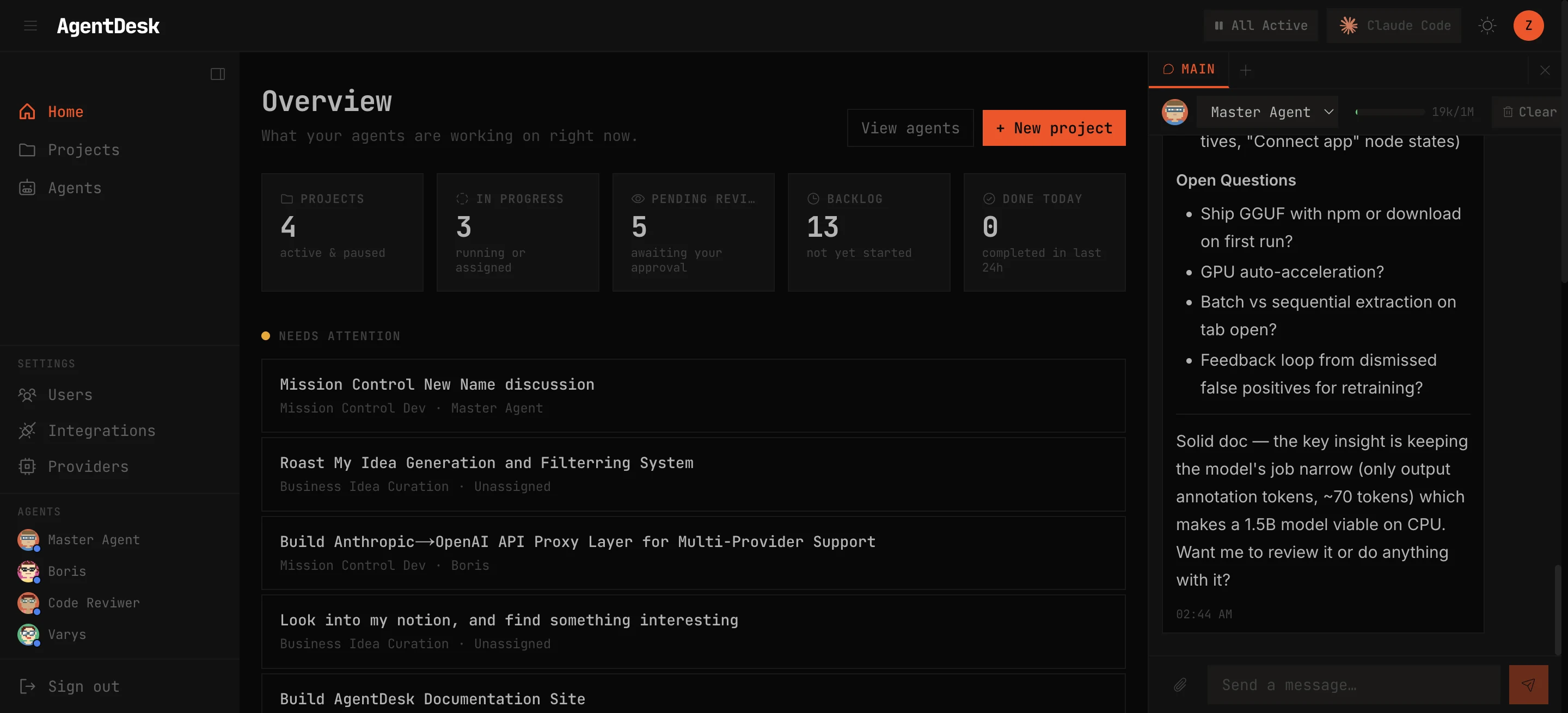
Main Session
Each agent has a persistent main session that carries context across conversations. When you chat with an agent:
- Messages stream in real time via WebSocket
- The agent sees the full project context (CLAUDE.md, agent identity, project mission)
- Tool calls are displayed inline so you can see what the agent is doing
- The session persists — resume the conversation at any time
Side Sessions
Create isolated side sessions for focused conversations that don’t pollute the main session:
- Click New Session to start a fresh conversation
- Each side session has its own context window
- Useful for brainstorming, debugging, or one-off questions
Features
Streaming Output
Agent responses stream token-by-token as they’re generated. You see the agent’s thinking process in real time.
Tool Calls
When the agent uses tools (file reads, shell commands, web searches), each call is displayed with:
- Tool name and parameters
- Execution status (running, success, error)
- Result output (collapsible for long outputs)
Abort
Click Stop to abort a running response. The agent’s turn is cancelled immediately and you can send a new message.
Project Context
Chat sessions automatically inject the project’s context:
- Project mission statement
- Agent’s CLAUDE.md system prompt
- Available skills and tools
Session Management
- View all active sessions (main + side sessions) in the session list
- Switch between sessions without losing context
- Delete old side sessions to clean up