Scheduler
Schedule recurring and one-shot agent jobs.
The scheduler lets you create recurring or one-shot jobs that trigger agent sessions on a defined schedule.
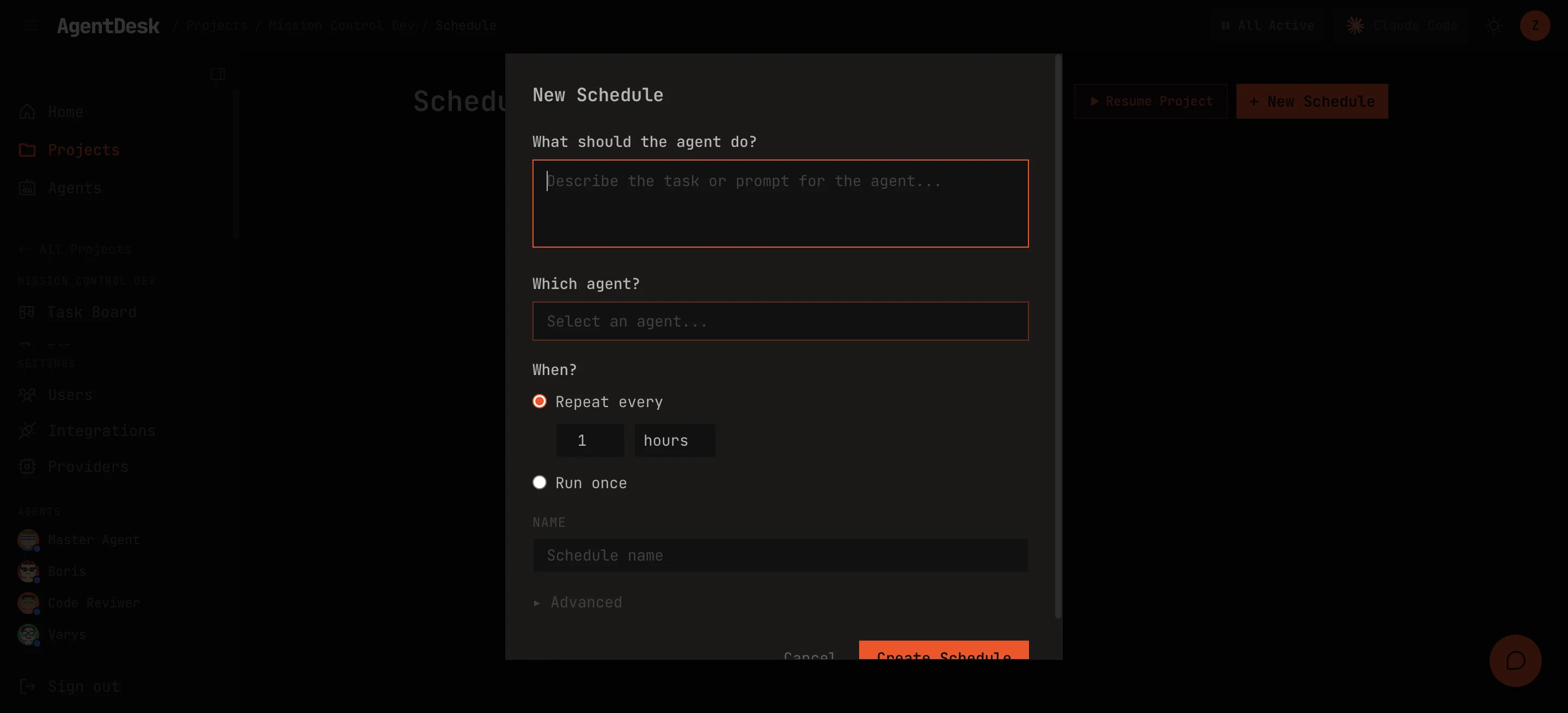
Schedule Types
Cron Expression
Standard cron syntax for precise scheduling:
# Every weekday at 9am UTC
0 9 * * 1-5

# Every 6 hours
0 */6 * * *

# First Monday of every month
0 10 1-7 * 1
Interval
Simple time intervals:
# Every 30 minutes
every 30m

# Every 2 hours
every 2h

# Every 1 day
every 1d
One-Shot
Fire once at a specific time (ISO 8601):
# Run once at this exact time
at 2026-06-01T09:00:00Z
Creating a Job
- Navigate to the project’s Schedule page
- Click New Job
- Configure:
- Name — descriptive label for the job
- Agent — which agent runs this job
- Schedule — cron expression, interval, or one-shot timestamp
- Message — the prompt sent to the agent on each run (e.g., “Check for open PRs and review them”)
- Jobs start enabled by default
Agents can also create jobs programmatically:
$ ad-cron-create --project <id> --agent <id> \
    --name "Daily PR sweep" \
    --cron "0 9 * * *" \
    --message "Review all open PRs in the project"
Run History
Each job tracks its execution history:
- Run time — when the job fired
- Duration — how long the agent turn took
- Status — success, error, or timeout
- Summary — agent’s response or error details
Job Controls
- Pause — temporarily disable a job without deleting it
- Resume — re-enable a paused job
- Run Now — manually trigger a job outside its schedule
- Delete — permanently remove the job and its history